How to Fix Huawei Pura 80 Pro Gaming Lag in South Africa: Heat, Frame Drops, 5G Stutter and Battery Drain
Quick answer
If your Huawei Pura 80 Pro is stuttering in games, overheating or draining fast, you are not alone. Here is a practical South Africa-focused troubleshooting guide to improve performance on local networks and in everyday use.
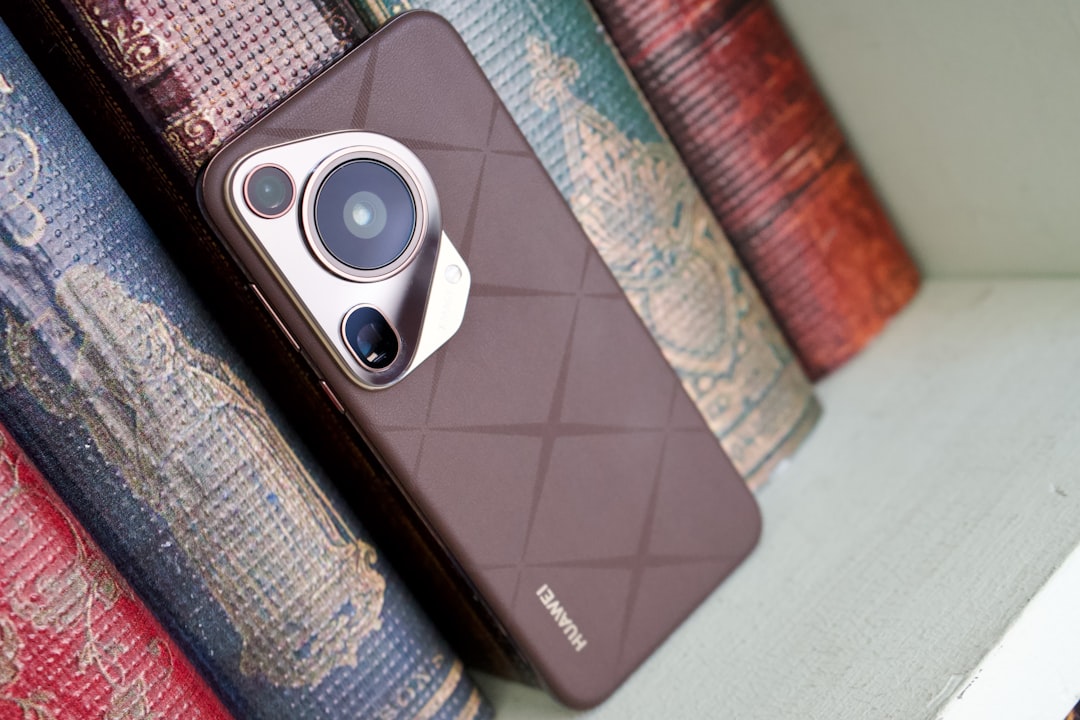
Huawei Pura 80 Pro gaming lag: what South African users are experiencing
The Huawei Pura 80 Pro is a premium phone, but even flagship devices can struggle in demanding games when heat builds up, network conditions are unstable, or background settings are working against performance. For South African gamers, the most common complaints are Huawei Pura 80 Pro gaming lag, sudden frame drops, 5G stutter on mobile data, and faster-than-expected battery drain during long sessions.
The good news is that most Huawei Pura 80 Pro performance issues can be reduced without sending the phone in for repair. In many cases, the problem comes down to thermal throttling, aggressive battery optimisation, weak signal on Vodacom, MTN, Telkom, Cell C or Rain, or a game that is not configured correctly.
1. Check whether heat is causing the frame drops
Heat is the biggest enemy of gaming performance. When the Pura 80 Pro gets too warm, the phone will lower CPU and GPU speeds to protect itself, which leads to lag, stutter and slower touch response.
- Remove thick cases while gaming, especially leather or rugged covers that trap heat.
- Avoid charging and gaming at the same time if possible, because this increases temperature quickly.
- Play in a cooler room or near a fan, especially during hot South African afternoons or when load shedding has made the room warmer than usual.
- Lower in-game graphics settings from ultra to high or medium if the game allows it.
- Take short breaks every 20 to 30 minutes to let the device cool down.
If your phone feels hot near the camera area or back panel after only a few minutes of play, thermal throttling is likely behind the frame drops. This is especially common in graphically demanding titles like battle royale games, racing games and open-world RPGs.
2. Turn on the right performance settings
Huawei phones include power and performance controls that can help improve gaming stability. If the phone is prioritising battery life too aggressively, it may reduce performance in the background.
- Go to Settings and check Battery or Power management.
- Disable any extreme battery saver mode before gaming.
- Open Huawei’s game tools or performance assistant, if available, and enable the highest performance profile for games.
- Close all unnecessary apps before launching a game.
- Restart the phone once a day if you game heavily, as this clears temporary memory and background clutter.
Some users also notice smoother gameplay after updating the system software, because firmware updates can improve thermal management and game optimisation. Always install official updates when they are available.
3. Fix 5G stutter and mobile data lag
If your games run smoothly on Wi-Fi but stutter on mobile data, the issue may be network-related rather than a hardware fault. South African 5G coverage is still uneven in some suburbs and smaller towns, and even in coverage areas, signal quality can vary from street to street.
To reduce 5G-related lag:
- Test the same game on both Wi-Fi and mobile data to see whether the problem is network-specific.
- If 5G is unstable, switch temporarily to 4G/LTE in your mobile network settings.
- Try moving closer to a window or a stronger signal area in your home.
- Check whether Vodacom, MTN, Telkom, Cell C or Rain is experiencing local congestion in your area, especially during peak evening hours.
- Disable VPN apps while gaming, as they can add latency.
For competitive games, a stable 4G connection is often better than fluctuating 5G. A strong, consistent signal matters more than raw network speed when it comes to low ping and smooth gameplay.
4. Reduce battery drain during gaming
Huawei Pura 80 Pro battery drain gaming complaints are usually linked to a combination of high brightness, background syncing, 5G use and heat. Gaming is one of the most power-hungry activities on any smartphone, but you can stretch battery life significantly with a few changes.
- Lower screen brightness to a comfortable level instead of keeping it at maximum.
- Turn off Bluetooth, hotspot and location services if you are not using them.
- Limit background app refresh for social media, email and cloud apps.
- Use Wi-Fi when available, because mobile data often consumes more power in weak-signal areas.
- Consider using 60Hz or a lower refresh mode for games that do not benefit much from high refresh rates.
If the battery drains unusually fast even when the phone is idle, check which apps are consuming power in the battery usage menu. A rogue app, live wallpaper or constant syncing account can make gaming battery life much worse.
5. Clear storage and memory bottlenecks
When a phone is nearly full, performance can drop because the system has less room for temporary files, game assets and cache management. This can contribute to Huawei Pura 80 Pro performance issues, especially in large games that stream data continuously.
- Keep at least 15% to 20% of storage free.
- Clear game cache for titles that are lagging.
- Delete unused apps, duplicate videos and old downloads.
- Move media to cloud storage or an external drive if needed.
- Avoid running heavy downloads or updates while gaming.
After clearing storage, reboot the phone and test the game again. Many users notice smoother loading and fewer texture stutters once the device has breathing room.
6. Update the game, the phone and the app store services
Outdated game builds can cause crashes, frame pacing problems and compatibility issues. The same is true for system software and Huawei services.
- Update the game from its official store.
- Install the latest phone software update from Huawei.
- Update any supporting apps used by the game.
- If the game recently started lagging after an update, check online forums to see whether other users are reporting the same issue.
Sometimes a game patch fixes stutter on one device model but introduces a new issue on another. If the problem began right after an update, waiting for the next patch may be the best solution.
7. Reset the network settings if lag happens on data only
If the phone performs well on Wi-Fi but badly on mobile data, a network settings reset can help clear misconfigurations. This will not erase your photos, but you will need to reconnect to Wi-Fi networks afterwards.
- Go to Settings and search for Reset network settings.
- Reset Wi-Fi, mobile data and Bluetooth settings.
- Reinsert the SIM if needed and test with a different network profile.
- Check whether your APN settings are correct for your provider.
This is worth trying for users on prepaid bundles or SIMs that have been moved between devices, especially on networks like Rain or Telkom where configuration can affect data behaviour.
8. When to suspect a hardware issue
If the phone still overheats, stutters and drains battery after all the steps above, the issue may be hardware-related. Look out for these signs:
- The phone gets hot very quickly, even in light games.
- Frame drops happen across multiple games, not just one title.
- Battery percentage falls unusually fast even with light use.
- The device lags after a full restart and software update.
- The back of the phone becomes excessively warm during basic tasks.
In that case, contact Huawei support or visit an authorised repair centre. If the phone is under warranty, avoid opening it yourself or using unofficial repair shops, as that can complicate future claims.
Best gaming habits for South African Huawei users
For local users, the best results usually come from combining good thermal habits, stable network choices and sensible settings. If you play at home, use Wi-Fi where possible. If you are gaming on the move, test which network gives the lowest latency in your area: Vodacom and MTN often have strong coverage in major cities, while Telkom, Cell C and Rain can vary more by suburb and indoor signal strength.
The Huawei Pura 80 Pro is capable of excellent gaming performance, but it needs the right conditions to stay smooth. If you manage heat, reduce background load and choose the most stable connection, you can usually cut lag dramatically and improve battery life at the same time.
For most owners, the fix is not one single setting. It is a combination of cooler temperatures, fewer background processes, better signal and realistic graphics settings. That is the most effective way to solve Huawei Pura 80 Pro gaming lag in South Africa.