How to Turn the Xiaomi Redmi Note 14 Pro into a Budget Gaming Phone for Campus Life in South Africa
Quick answer
The Xiaomi Redmi Note 14 Pro can be a solid budget gaming phone for campus life if you tweak the right settings. Here’s how South African students can get smoother performance, better battery life and less heat.
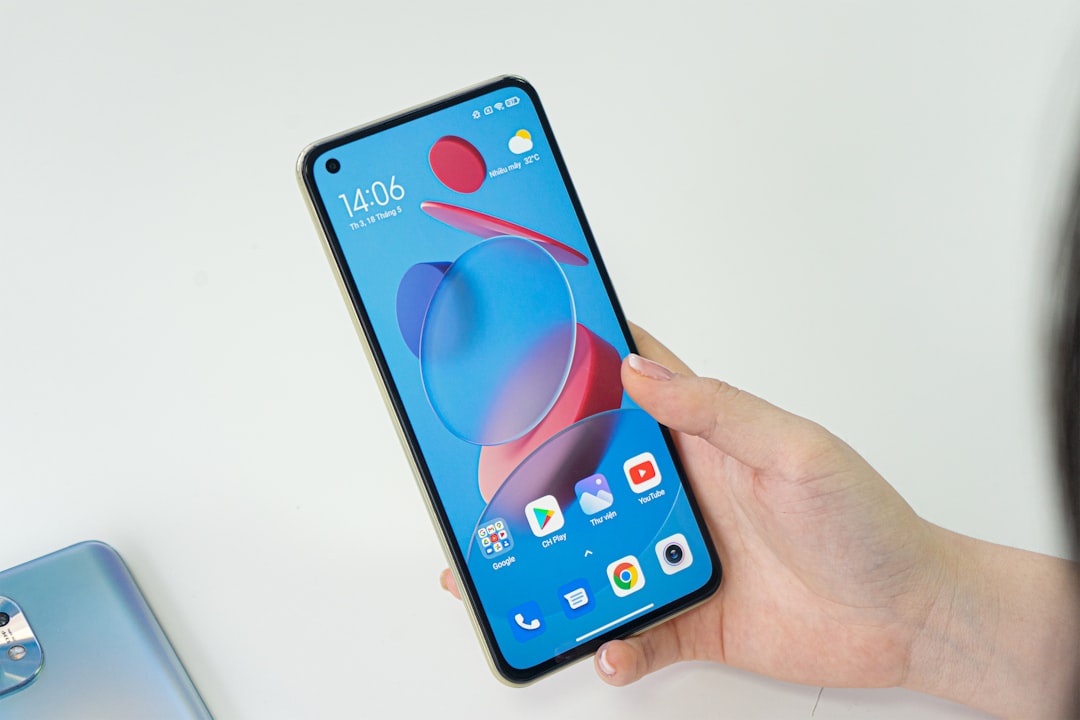
How to Turn the Xiaomi Redmi Note 14 Pro into a Budget Gaming Phone for Campus Life in South Africa
If you are a student in South Africa, you probably want one phone that can handle lectures, WhatsApp groups, banking apps, photos, and a bit of gaming between classes. The Xiaomi Redmi Note 14 Pro is a strong choice for that role. It is not a flagship, but with the right tweaks it can become a very capable budget gaming phone South Africa buyers will appreciate for campus life.
The trick is not to expect console-level performance. Instead, focus on smooth frame rates, stable temperatures, and good battery life. That is where the Xiaomi Redmi Note 14 Pro gaming settings matter most. With a few changes, you can improve gameplay in titles like Call of Duty Mobile, Free Fire, Mobile Legends, PUBG Mobile, and even lighter racing or sports games.
Why the Redmi Note 14 Pro makes sense for students
The Redmi Note series has always been popular in South Africa because it offers a lot of phone for the money. For campus life, that matters. You need a device that can survive long days away from a charger, handle mobile data on Vodacom, MTN, Telkom, Cell C, or Rain, and still give you enough power for gaming after class.
The Redmi Note 14 Pro is a good fit because it balances display quality, battery efficiency, and everyday performance. It is also usually priced far below premium phones like the latest Samsung Galaxy S26 series or the latest iPhone 17 series, which makes it easier to justify for students on a budget. If you are trying to stretch your money, that difference in price can go toward airtime, data, or even a second-hand laptop.
Start with the right display settings
For gaming, the display is one of the easiest places to improve the experience. Go into Settings > Display and make a few changes before you start playing.
- Set the refresh rate to the highest available option if your battery can handle it. This can make scrolling and gameplay feel smoother.
- Use adaptive brightness when you are outside on campus, but turn brightness down indoors to save battery.
- Choose a comfortable text and icon size so you can switch quickly between games, notes, and messaging apps.
If you play for long sessions, remember that a higher refresh rate can drain battery faster. For many students, the best compromise is to use the high refresh rate only when gaming, then reduce brightness when heading to class or the library.
Use Game Turbo or gaming mode properly
Xiaomi’s gaming features can help the Redmi Note 14 Pro perform better. If your phone has Game Turbo or a similar gaming optimisation mode, turn it on for your favourite titles. This can prioritise performance, block some interruptions, and improve touch response.
Inside the gaming tool, do the following:
- Enable performance mode for competitive games.
- Block notifications from social apps during matches.
- Turn on touch response enhancements if available.
- Keep the floating tools minimal so the screen stays uncluttered.
For students who game in residence, this is especially useful because WhatsApp and Telegram notifications can interrupt a match at the worst possible time. A good gaming mode keeps you focused and reduces accidental swipes.
Best graphics settings for smooth gameplay
One of the most important best settings for Redmi Note 14 Pro advice is this: do not max out every game. A budget phone performs better when you aim for stability instead of ultra graphics.
For most popular mobile games, try these settings first:
- Graphics: Low or Medium
- Frame rate: High, if the game allows it
- Shadows: Off or Low
- Anti-aliasing: Off
- HD textures: Only if the game still runs smoothly
This approach gives you a better chance of steady gameplay without overheating. In South African summer heat, especially in places like Durban, Polokwane, or Pretoria, keeping the phone cooler is just as important as raw speed.
Keep the phone cool during long sessions
Heat is one of the biggest enemies of mobile gaming. If you are gaming between lectures or during load-shedding downtime, the Redmi Note 14 Pro can warm up after a while. To reduce heat:
- Remove thick cases while gaming.
- Avoid charging and gaming at the same time unless necessary.
- Play in a shaded or cool area, not under direct sunlight.
- Close background apps before opening a game.
If you are on a campus bus, in a noisy lecture break area, or outdoors, the phone may work harder than usual. Try to keep sessions shorter when temperatures are high. A cooler phone usually means fewer frame drops and better battery life.
Save battery for a full campus day
For students, battery life can matter more than peak gaming power. You may need your phone for class notes, navigation, banking, Uber or Bolt, and WhatsApp before you even open a game. That is why good battery habits are essential.
To stretch battery life on the Redmi Note 14 Pro:
- Use battery saver when you are not gaming.
- Lower screen brightness indoors.
- Turn off Bluetooth, GPS, and hotspot when not in use.
- Limit background sync for apps you do not need constantly.
- Download games and updates on Wi-Fi instead of mobile data.
This is especially important if you rely on prepaid data or a limited monthly bundle. South African campus life often means juggling class schedules, transport, and connectivity costs, so every bit of battery and data saved helps.
Optimise storage and memory
Games run better when your phone has enough free space. If storage gets too full, performance can feel sluggish. Keep at least a few gigabytes free by deleting old videos, duplicate photos, and apps you no longer use.
You should also check whether the Redmi Note 14 Pro has memory extension or virtual RAM features. These can help with multitasking, but they are not a replacement for real RAM. Still, if you switch between gaming, Chrome, Spotify, and student apps, they can make the phone feel more responsive.
For best results:
- Keep at least 15% to 20% storage free.
- Move photos and videos to cloud backup when possible.
- Uninstall heavy apps you rarely use.
Use the right network for online gaming
Online gaming on campus depends heavily on network quality. If you are playing multiplayer titles, test which network works best in your area. In some parts of South Africa, Vodacom or MTN may be more stable. In other areas, Telkom, Cell C, or Rain might offer better value or stronger coverage indoors.
For gaming, try these tips:
- Use Wi-Fi where possible, especially on campus or in residence.
- Run speed tests at different times of day to see when your signal is best.
- Choose 5GHz Wi-Fi if your router supports it and you are close enough.
- Avoid downloading large files while gaming on mobile data.
If you are using mobile data, make sure your game is not updating in the background. Updates can eat through your bundle quickly, which is painful when you are trying to stay within a student budget.
Practical game-specific tips
Different games need different tweaks. For shooters like Call of Duty Mobile and PUBG Mobile, prioritise frame rate over graphics. For racing and casual games, you can usually push settings a little higher. For battle royale titles, stable performance matters more than visual effects.
If a game stutters, try this order:
- Lower graphics quality first
- Reduce shadows and effects
- Close all background apps
- Restart the phone before a long gaming session
This simple routine often makes a bigger difference than people expect. It is one of the easiest ways to get the most out of a budget gaming phone South Africa students can afford.
Final verdict: a smart campus gaming setup
The Xiaomi Redmi Note 14 Pro is not trying to beat the latest flagship phones, and that is exactly why it works for many students. With the right Xiaomi Redmi Note 14 Pro gaming settings, you can enjoy smooth casual gaming, decent competitive play, and all-day practicality without spending flagship money.
If you are looking for the best settings for Redmi Note 14 Pro, remember the formula: keep graphics sensible, use gaming mode, manage heat, save battery, and choose the best network for your area. For South African campus life, that is the kind of balance that really matters.
In short, the Redmi Note 14 Pro can absolutely become a capable budget gaming companion. Treat it like a smart everyday device first, a gaming phone second, and you will get much better results — both in class and in your matches.